Automatic translation in more than 30 languages
In August we added a setting for the language your guidebook is written in. We said we would rather do translation well than do it quickly. This is the rest of it.
You write your guidebook once, in your own language. Every translation happens automatically. You never write a page twice.
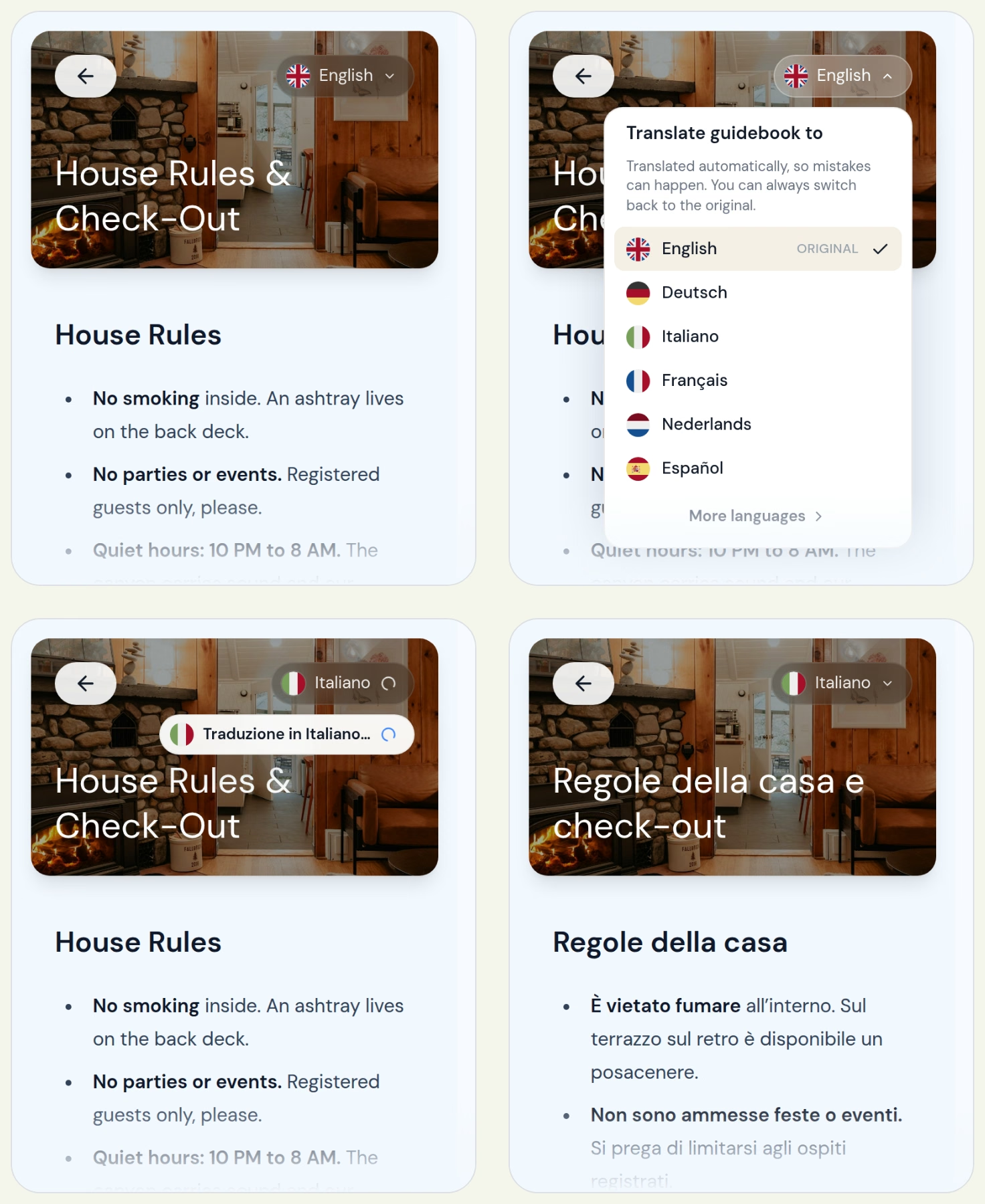
If you are on the Pro plan, your guidebook now has a language button at the top. A guest taps it and picks from more than 30 languages. Their phone's own language comes first in the list, right under your original. The page they are on changes to that language, and so does every page they open after it.
The guidebook remembers the choice on the guest's phone. Your link and your QR codes stay the same.
What changes, and what stays as you wrote it
Translated. Your page titles, the text on your pages, the places on your map and the local services on the Help page. Buttons and headings switch to the guest's language too.
Kept as written. Your WiFi name and password, names, phone numbers and addresses. A guest needs to read those exactly as they are.
When you edit a page. The next guest who opens it gets a fresh translation. There is nothing for you to update.
Machine made, and said so
The translations come from DeepL, a translation service. They are good, but like any automatic translation, they can get things wrong. The language menu tells guests the translation is automatic, and they can switch back to your original at any time.
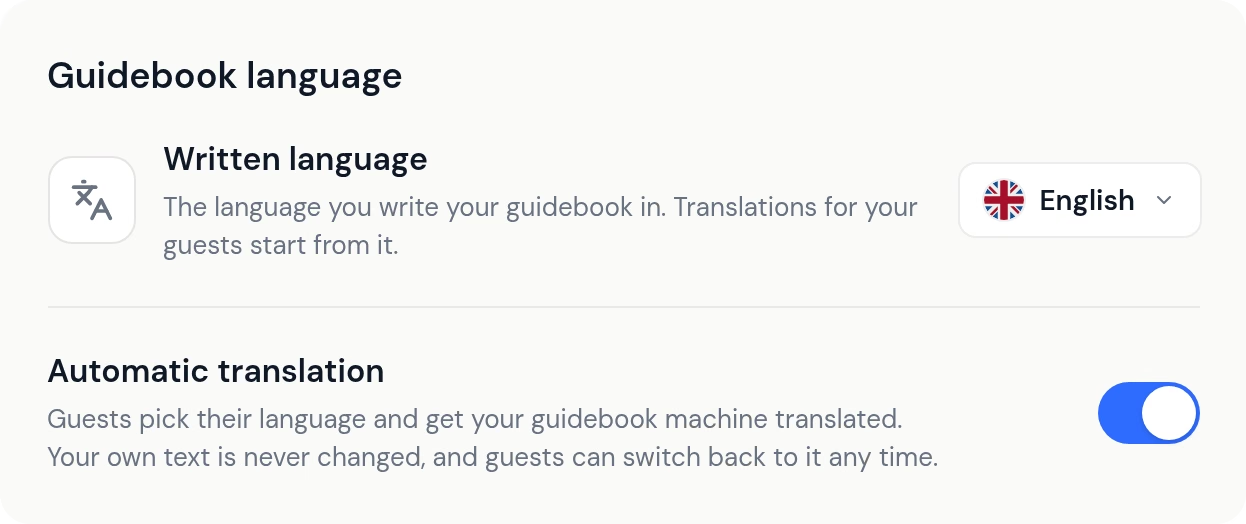
Set the language your guidebook is written in under Settings. Guests then see your original by name and flag in the language menu, and every translation starts from the right language.
Have you already translated your guidebook yourself, or do you not want translation at all? Then you can turn it off in the same place, under Guidebook language.
Translation is part of Pro, and you can use it during your free trial.
Show a video on any page
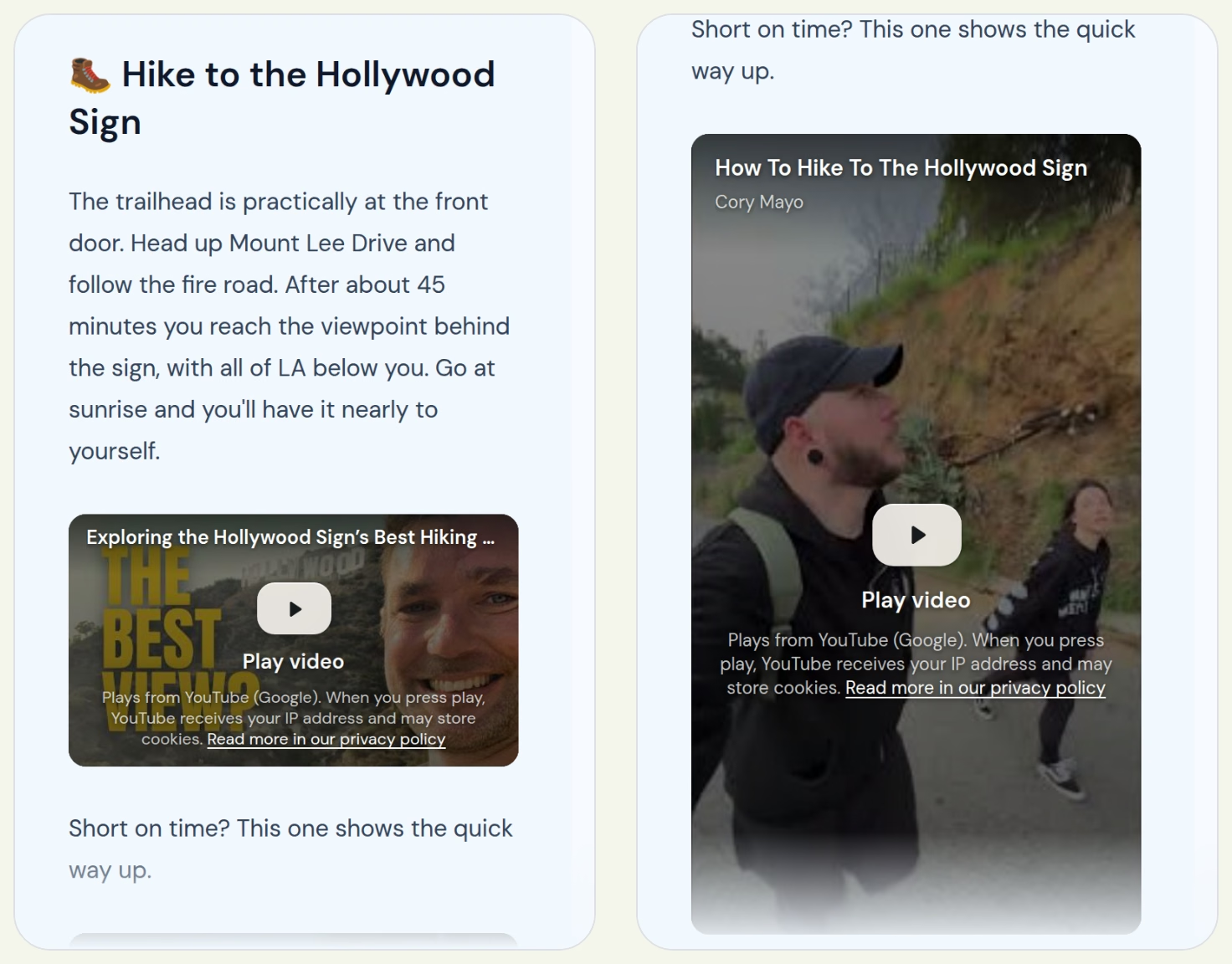
Paste a YouTube link into a page and it becomes a video your guests can play right there. Shorts work too and show upright, the way they do on a phone. The editor's toolbar also has a YouTube button.
It suits the things that are easier to show than to write, like the coffee machine or the way to the key box.
Small fixes that add up
- Distances on the map show in miles or kilometres, based on the guest's phone. A tap on the distance switches between them.
- A guest who opens a link that does not work now sees a page that explains why. If your guidebook is paused, the page says so and asks them to let you know.
- WiFi QR codes work with every password, including ones with characters like ; or :.
- There is a free WiFi sign you can print, with a QR code guests scan to join. Make one at helloguestbook.com/tools/wifi-qr-code-generator.
Open your guidebook, tap the language button and pick a language you know. As always, tell us what you think with the Feedback button.