See what your guests open
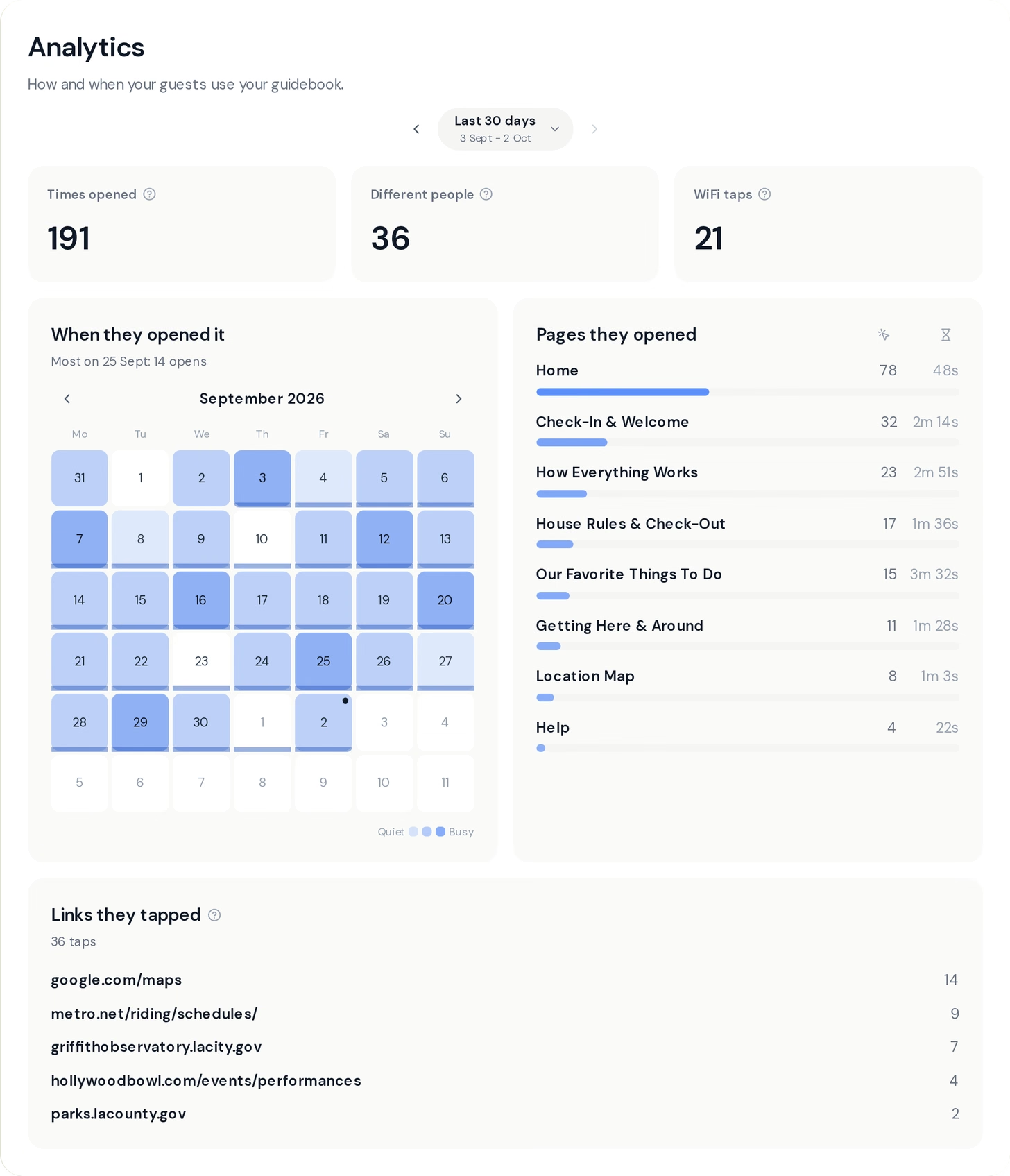
Your guidebook has a new Analytics tab. It shows how many times guests opened your guidebook, how many different people opened it, and how often they tapped the WiFi card to see the password.
A calendar shows which days were busy. Below it you can see which pages guests read and how long they stayed on each one, and which links they tapped, like a map or a restaurant you recommend.
Pick a period at the top, from today back to the last year, or choose your own dates. Opens go back to 8 July and WiFi taps to 24 August. The list of links starts with this update, so give it a few days to fill up.
Analytics is part of Pro, and you can use it during your free trial. When you open your own guidebook while signed in, it doesn't count, so the numbers are all about your guests.
Give your guidebook its own web address
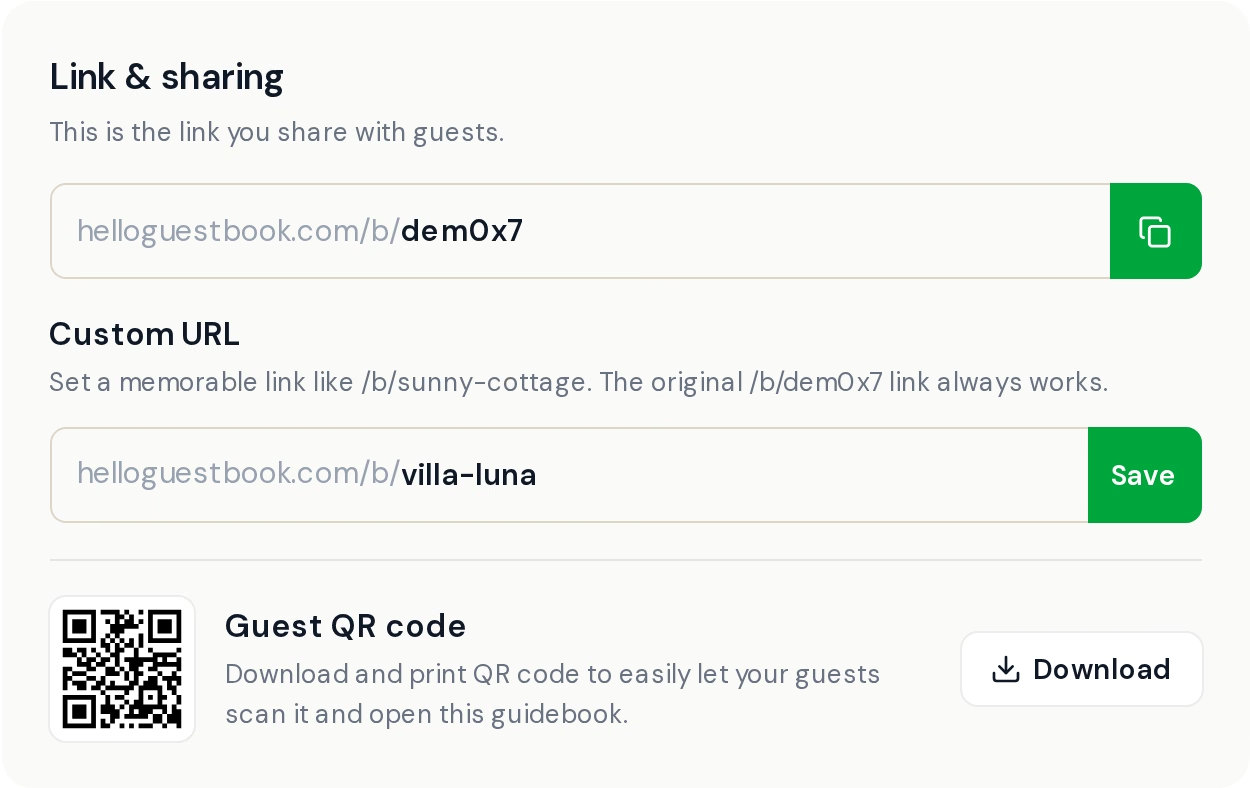
On Pro, you can choose a link that is easy to say and type, like helloguestbook.com/b/sunny-cottage. You set it under Settings.
Your original link keeps working and sends guests to the new one, so QR codes you have already printed still work. If you change your custom link later, the old one keeps working too.
Each guidebook can change its link twice. We ask you to confirm before saving, so a typo doesn't use up a change. Custom links need an active Pro subscription and are not part of the free trial.
One plan, priced by your number of guidebooks
Host and Pro are now one plan, called Pro. You pay for the number of guidebooks you have, and the more you have, the less each one costs.
If you already pay for Host or Pro, you keep the guidebooks you have. Your plan now shows as Pro.
Small fixes that add up
- Photos from newer phones upload faster and always show up for your guests.
- Hidden sections stay in their place in the editor, dimmed, with a label that says why they are hidden.
- On iPhone, the space above the page matches the page when you pull down, instead of flashing white.
- On iPhone, scrolling stays smooth after you type, and the top bar of the editor responds as soon as the keyboard closes.
- If your trial is set to continue into a paid plan, the branding bar comes off right away, not at your first payment.
- On small phones, the Editor, Analytics and Settings tabs scroll instead of covering the buttons next to them.
Open the Analytics tab on one of your guidebooks and take a look. As always, tell us what you think with the Feedback button.